Tintopia: your happy place for color
Color it on screen. Print it when it is done.
Tintopia is a coloring studio that runs in your browser. Tap a space to fill it, add your own touches with a brush, then save a picture that prints sharp on a letter-size page.
- Runs in your browser
- No account to make
- Prints on letter paper
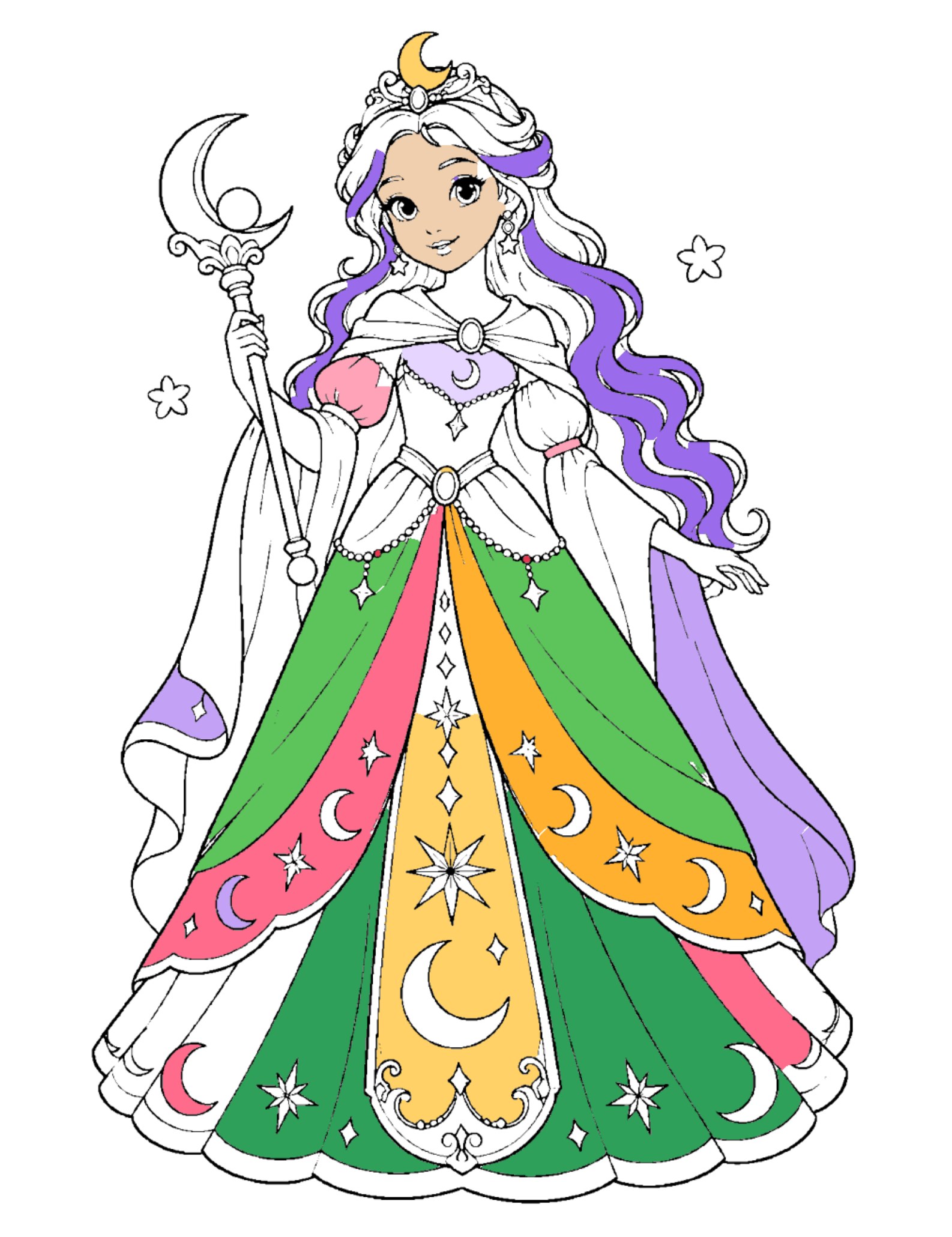
Watch a page come to life
Real Tintopia, real taps: choose a color, tap a space, and it fills. This is the Moon Princess page, one of the free pages.
From blank page to print in three steps
Pick a page
Choose from 240 illustrated pages in 12 collections, from cute animals to intricate mandalas. Try 12 pictures and a blank drawing page for free. The full pass also turns any photo into a coloring page and opens your own PDF coloring books.
Fill and paint
Tap a space to fill it. Use the brush for shading, or the pen to draw your own lines. Undo a color or brush stroke whenever you need to. Kids mode keeps the main tools easy to find.
Save and print
Download a PNG or JPG sized for 8.5 × 11 in. Your page is also kept in the browser, so you can finish it tomorrow.
Made for small hands and steady ones
The tools are simple on purpose. Everything you need is on one screen.
Stay inside the lines
Turn it on and brush strokes stop at the line you started in. Young children can scribble freely and the picture still looks neat.
Photo to coloring page
Pets, flowers, a child's drawing, a house. Pick how much detail you want and how thick the lines should be.
Draw your own pages
Pick the pen and sketch anything on a blank page, then fill your drawing with color. Rub out a line and try again.
Color your own PDF books
Open a coloring-book PDF and color any page on screen. Great for books you bought, made or downloaded.
Color by number
Turn any page into a numbered puzzle. Pick a number, tap its spaces, and watch the picture fill in with a progress bar and hints when you get stuck.
Today’s picture
A daily pick from the pages in your pass, with a streak that counts the days you come back. Existing artwork rotates through the collection.
Bring it to life
When your picture is done, watch it painted in crayon and then sparkle, shimmer or float. Save a short video in your browser’s supported MP4 or WebM format.
Recolor any photo
Change the colors of a photo of a room, a dress or a flower, one area at a time or all at once, with gold and gradient looks.
Sparkles, glitter and stickers
Gold, silver and glitter fills, sparkle brushes, and a tray of emoji stickers to stamp anywhere.
Calm sounds
Switch on soft background music and gentle chimes for a quiet, relaxing session.
Print-ready exports
Save a Letter or A4 PDF, or a 2550 × 3300 PNG or JPG with the full pass. Vector-traced outlines stay crisp at print size; brush texture keeps its screen detail.
Saves itself
Your work saves in this browser under My work. Download an editable backup and restore it on another device to continue coloring.
Phone, tablet or computer
Finger, mouse and pen all work. Zoom in to reach the small spaces.
36 colors and your own mix
A ready palette from pale pink to deep forest green, plus a color picker for anything else.
A peek at the pages
One page from each of our 12 collections, shown partly colored. Every collection has 20 pages to color.
Start free, upgrade when you want more
Free
- 5 pages: Draw your own, Mandala, Flower Garden, Sunflower and Butterfly
- Coloring tools, Kids mode and 36 colors
- Autosave under My work
- Saves at screen size with a small footer mark
Full pass
- All 12 collections, 240 pages
- Photo to page for your own pictures
- Open PDF coloring books and color their pages
- Print-size saves for 8.5 × 11 in paper
- No footer mark; editable backups and Letter/A4 PDFs
One payment, no subscription. Stripe handles payment and shows your unlock code on the payment confirmation. Save that code and paste it into the studio on your devices. The pass includes the current 240-page collection and tools; future paid collections are separate.
Questions
Do I need an account?
No. Open the studio and start coloring. There is nothing to sign up for.
Where is my coloring kept?
In your browser, on the device you used. Save PNG, JPG or PDF for finished pictures. For an unfinished page, use My work → Download editable backup, then Restore backup on the other device. Clearing browser data can erase saved work.
Are my photos uploaded?
No. Photos are turned into line art inside your browser and never leave your device.
Can I color a PDF coloring book?
Yes, with the full pass. Choose PDF book, open your file, and tap any page. It works best with black-and-white line art. The PDF stays in your browser and is never uploaded.
What photos work best?
Clear subjects with strong edges: pets, flowers, buildings, drawings. Very dark or blurry photos give messy lines. You can change the detail and line weight after the page opens.
How do I unlock the full pass after paying?
After paying through Stripe, copy the unlock code from your payment confirmation. Open the studio, choose Get the full pass, and paste the code. The studio remembers it in this browser. Enter the same code on another device when needed; there is no device limit or renewal.
Can I print the page?
Yes. Choose Letter or A4 and save a PDF to preserve the paper size. Full-pass PNG and JPG exports are 2550 × 3300 pixels with 300-dpi metadata; phone photo conversions may use 1700 × 2200 pixels at 200 dpi. The original artwork was vector-traced for sharper outlines, without adding new detail. Brush strokes and imported images retain their original detail.